Loupe

Keep the seconds,
not the file.

Loupe saves a link and a time range. Open it, and just those seconds loop.

Mark it once.

Set IN and OUT on a YouTube link or your own file. Loupe never downloads the video.

IN 0:25.9 OUT 0:27.4 LOOP

Every cut, on its own.

Loupe finds the cuts in your videos, so each one gets its own tags, rating and reason.

9 CUTS IN 52 SECONDS

See the rhythm.

Shorter cuts reach further out. Add the BPM and Loupe counts cuts per bar.

AVG 5.8 sSHORTEST 0.6 s0.34 CUTS PER BAR

Four takes. One loop.

Pick up to four clips and they start together, looping side by side. Slow them down to see what changes.

0.25×0.5×1×

Hand it over as a PDF.

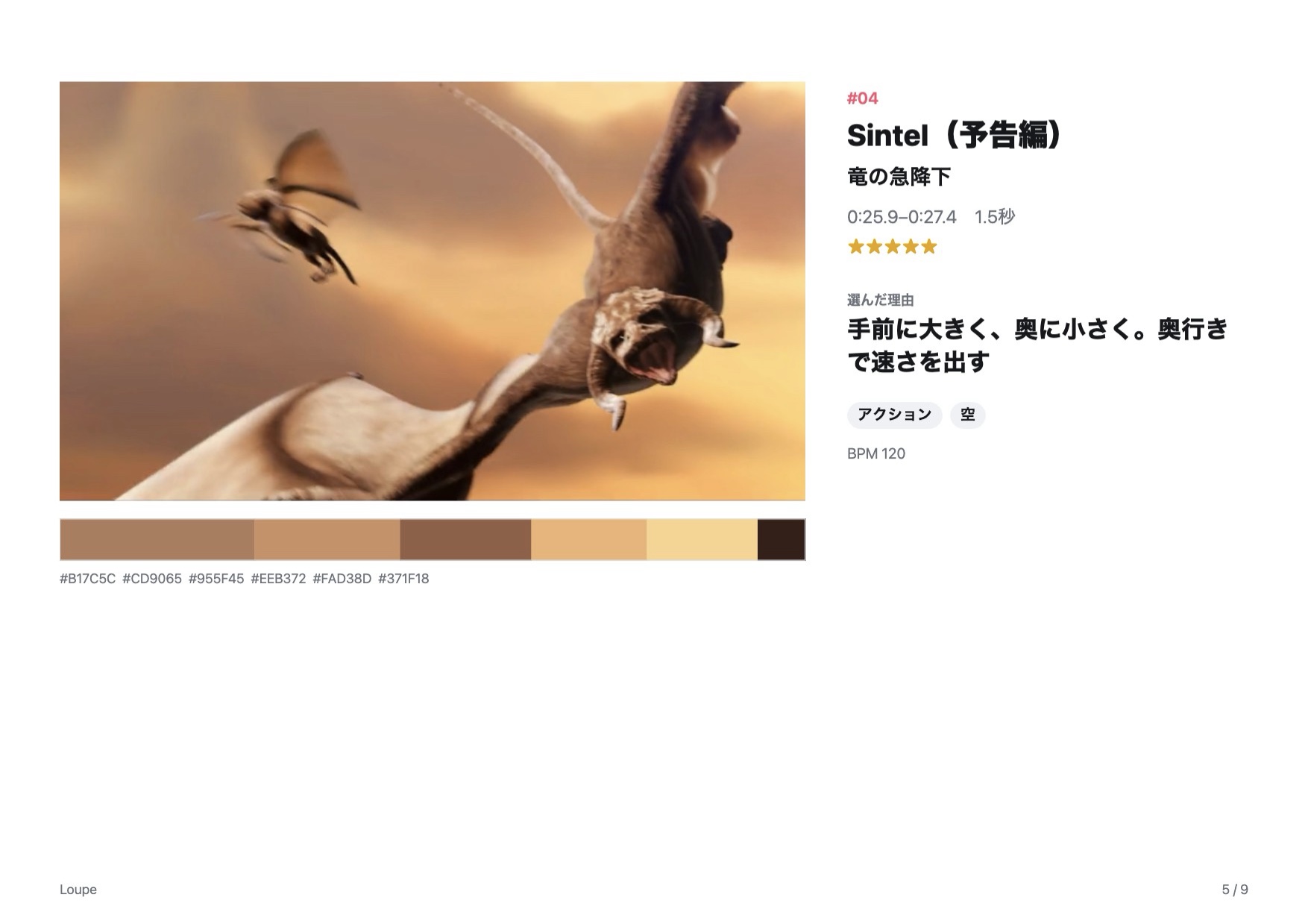
Turn a board into a pitch deck in one click. Every page links straight to the second it came from.

  • The frameThe middle of the cut, with letterbox trimmed.
  • The reasonOne line on why you picked it.
  • The paletteIts main colours, as swatches and hex.
  • The linkOpens YouTube at that exact second.
A page of a Loupe pitch PDF: frame, reason, tags, colour swatches and a link

Save it the moment you see it.

Anywhere on your Mac

⌘ ⇧ L

Copy a video link, press the shortcut, and it's in your library.

From the browser

⌥ ⇧ L

The Chrome extension saves the video you're watching, at the current second.

Drag and drop

URL → Loupe

Drop a link or a file onto the window. The menu bar icon works too.

Your library stays on your Mac.

No account. No ads. No uploads. Cut detection runs on your Mac, and a backup is a single file.

0 accounts0 uploads1 backup file

Free to start. Yours to keep.

Free

¥0

No time limit.

  • 50 clips, 3 boards
  • Automatic cut detection 3 times a month
  • Loops, compare, frames and colours
Download free
First 30 buyers: ¥2,000

Loupe Pro

¥3,500one-time, about US$23

Every future update included.

  • Unlimited clips, boards and cut detection
  • Pitch and cut-breakdown PDFs
  • Export boards to share
Buy Loupe Pro

Apple silicon Mac (M1 or later), macOS 14 or later. Sold on BOOTH (Japanese store; international cards work). After buying, enter your order number on the code page to get your own licence code, then paste it in Settings → Plan.

Does it download YouTube videos?

No. Loupe keeps the link and the seconds, and loops that range in YouTube's own player. Your library stays small and easy to share.

I use Eagle. Do I need this?

They do different jobs. Eagle organises files, and it doesn't tag individual scenes in a video yet (per its support pages). Loupe keeps the few seconds inside a video. Many people use both.

macOS warns me when I open it

The beta isn't notarised yet. Move Loupe to Applications, open it once, close the warning, then click “Open Anyway” in System Settings → Privacy & Security.

Windows or iPhone?

On Windows and other computers you can use the browser version (beta) in Chrome or Edge, with nothing to install. Your library stays only in that browser (clearing its site data deletes it), and it can’t fetch view counts, save from the menu bar or Chrome extension, or work with Claude (MCP). Export backups often. An iPhone version depends on what people ask for.

Is the app in English?

Yes. Loupe follows your Mac's language, or you can switch it in Settings.

Start with the one video
on your mind.